RLS 2.0
Product Design
Standalone

Confidentiality Notice
To respect client confidentiality and non-disclosure agreements, some branding, data, technical information, graphics, and interface content have been replaced or anonymized. These changes do not alter the design approach, user experience, or product capabilities presented in this case study.
RLS 2.0 is a Windows supported stand-alone control and monitoring platform designed for an automated pallet labeling system. The application orchestrates a coordinated workflow between two industrial robots and two printers operating in a serial production line.
At the core of the process is a rail mechanism that feeds labels into a designated application zone. From there, the robots execute synchronized movements—retrieving printed labels and precisely applying them across all five faces of each pallet.
The dashboard provides operators with real-time visibility into the labeling status of each pallet face, enabling quick identification of errors or incomplete applications. It also supports calibration workflows, allowing users to fine-tune robot positioning, as well as manual configuration of coordinate sets for different pallet types.
In addition, the platform integrates order tracking, giving users a centralized interface to monitor production flow and ensure labeling accuracy at scale.
Client's requirement

The application is a Windows-supported standalone built in C using GTK, with no web stack involved. The UI is constrained by GTK’s widget system and rendering model, requiring a custom design system aligned to native capabilities.
This results in fixed layouts, predefined component states, minimal animation, and strict rules for spacing, typography, and contrast. Interactions prioritize low latency and precision (e.g., numeric inputs for calibration) over dynamic or gesture-based patterns.
RLS 2.0 runs as a full-screen HMI on fixed 1920×1080 displays, with a static layout (no responsive behavior) to ensure deterministic positioning and consistent real-time visibility.
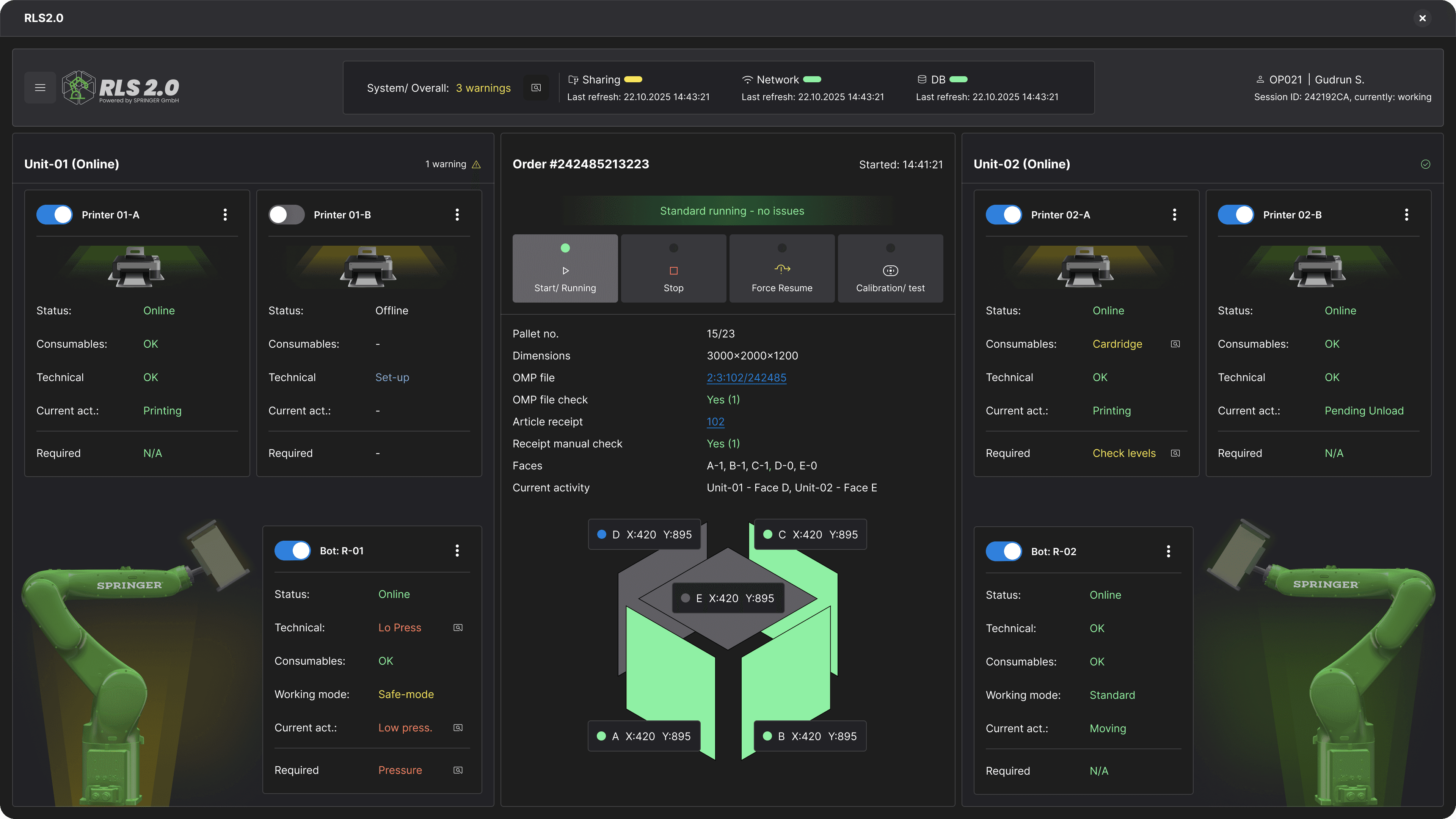

Zone
A 2D visualization of pallet faces designed to simulate depth, enabling quick spatial understanding without true 3D rendering.

Status visualization
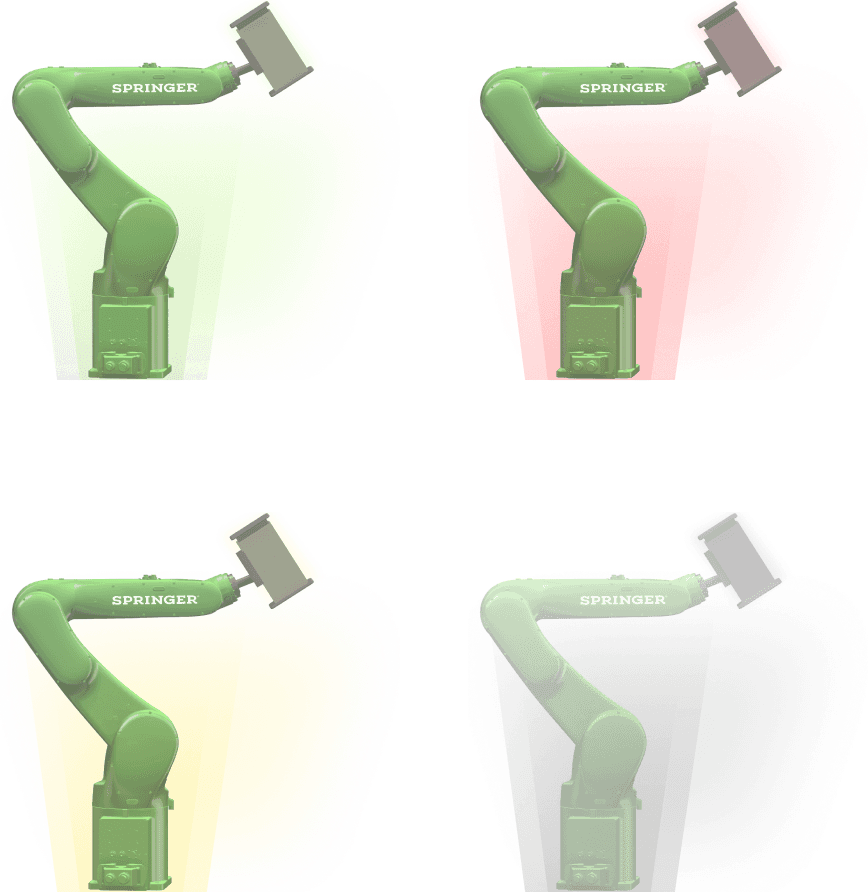
Real-time status overview via simplified device schematics, leveraging color-coded states for rapid diagnostics: red = fault, yellow = warning or depletion threshold, grey = offline.

Instructions set profile
Article-level configuration interface for customer-specific labeling recipes, including per-face coordinate mapping, calibration controls, and selective face enablement

Calibration Mode
The recipe view supports offline (“dry”) configuration, while calibration mode enables live adjustments. Users can fine-tune per-face coordinates and glue percentage during execution, with updates persisted and propagated back to the article profile.


Settings
Settings page for administration of system components, including printers, robot arms, network configuration, and auxiliary electronics.

List of articles

Next

Italic Web Development
branding, ui/ux design

Operational Cost Optimisation
Foodchain Operations

Masinilacheie.ro
Car Rental - Web Based